Welcome back to another challenge!
As always, the theme this month is
Anything Creative Mixed Media Goes
As always, the theme this month is
Anything Creative Mixed Media Goes
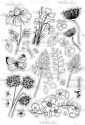
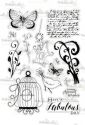
Our sponsor for 2018 is Polkadoodles and you can check out all the wonderful selection of Polkadoodles goodies in the shop. There are some amazing stamps and papers which are perfect for all your mixed media projects so make sure you check them all out, and you can tune in to Hochanda TV on 7th May for a lovely stamping show with Nikky at 12noon.
You don't have to use our Polkadoodles products to enter the challenge.
The challenge closes 30 May 2018 so there's loads of time to play along.
Our prize is a $10 gift voucher from Polkadoodles for our lucky winner, (chosen by random.org)...
You don't have to use our Polkadoodles products to enter the challenge.
The challenge closes 30 May 2018 so there's loads of time to play along.
Our prize is a $10 gift voucher from Polkadoodles for our lucky winner, (chosen by random.org)...

As you can see our talented team have been busy working their creative/mixed media magic for you .....
This month we have a fabulous Guest Designer joining us!
We love her creative work and are thrilled to have her with us, so here's a little insight into our fab Guest Designer:
Tina de Marche...
make sure you check out her blog HERE.....

I'm a mom to 4 boys, so there's never a dull moment in my house. I've always been surrounded by crafty people in my family (it's a big family), so my hands love to stay busy. If it's not crafting, it's cooking or gardening that I enjoy doing. I've been making cards for 14 years now, started in a Calligraphy group, then later on, I got into stamps. I love to learn and try new things out, so I'm hoping to inspire you to do the same.
For this card, I used colored pencils to color the image, sprinkled some Fran-tage embossing powder around it. The heart is canvas that I stamped, sprayed some ink and then added little paint drops. I also sprayed my corner pieces, distress the butterfly strip with ink and lastly dabbed silver paint around the edges . See more on my BLOG...

Jan I have made a little mixed media tag album using lots of the lovely Stampin' Unicorn Stamps I have used Distress Oxides, watercolour Pencils and paints, inks. I really had great fun putting my album together...

Gemma I have a few cards to share with you today. I created an A3 masterboard with Gelatos, stencils, and stamps, which I cut down to 4x4 squares. Before gluing the squares to card blanks I stamped focal images made up from the small stamps on the Regal Peacock stamp set and doodled around the edges with a black pen.


Regal Peacock stamp set
Julia I have made a tag, using lots of gorgeous Polkadoodles products, I started by adding some torn pieces of paper from the Posy Doodles paper pack I then layered some distress oxides over it & some of my mop up rice paper. I covered a little frame with black Gesso, and created a paper ribbon from some more of the paper pack. I have stamped onto fabric using Dotty about Flowers I then added some stitching detail. I then painted the back of the fabric using a mixture of 50% PVA & 50% water, once it was dry I cut round the flowers & finally I added a sentiment using Treasured Blooms stamp set.

Terry: I made a Tag this time, colored the background with 2 colors Distress Oxide Inks, sprayed water on it and dried it. Than I worked with the sentiment stamp from Nikky's stampset Belle Pappilon, which I love....I used some leaves from the mixed medium stampset STOP and worked on the edges with a brown ink to make it extra vintagy. I wanted something more on the backgound and used a stencil from plants, worked on it with Light Modelling Paste and played with some crackle. On top of the plants I placed some Nuvo drops liquid. The butterflies are colored with Polychromos pencils and waterpaint. And to finish I placed small sentiments.

Thankyou everyone who entered this challenge - we really loved looking round your blogs, you all left us some awesome work to pore over!
Our Random winner chosen by Random.org is:
#10 Paperplottalotta - Well done!
PRIZE: $10 gift voucher to the Polkadoodles Store.
To claim your prize please email Polkadoodles, quoting 'Love 2 Create winner' in the subject bar. Please include this claim code L2Cwk7001 in your email and allow 14 working days for a reply please.
It was so hard to choose this week, we seriously wanted to have a Top 10, there were some amazing entries, thankyou! TOP 3 DT FAVOURITES (no particular order):
#34 PaperBeauty
#24 Kates Scrap yard
#8 Judy McKay
A big thank you to everyone who entered last month's challenge and winners, plus Top 3, will be announced on the next challenge.
Just in case you have missed any winners posts, previous winners, Top 3 and GDT's can be found on our 'Winners Page' at the top of the blog.
Just add you entry below in Mr Linky and if you would like to appear as a GDT on Love 2 Create Challenges, just add GDT after your name.
The Love 2 Create team can't wait to see what you have created this month ...
Mister Linky's Magical Widgets -- Thumb-Linky widget will appear right here!
This preview will disappear when the widget is displayed on your site.
If this widget does not appear, click here to display it.
This preview will disappear when the widget is displayed on your site.
If this widget does not appear, click here to display it.